
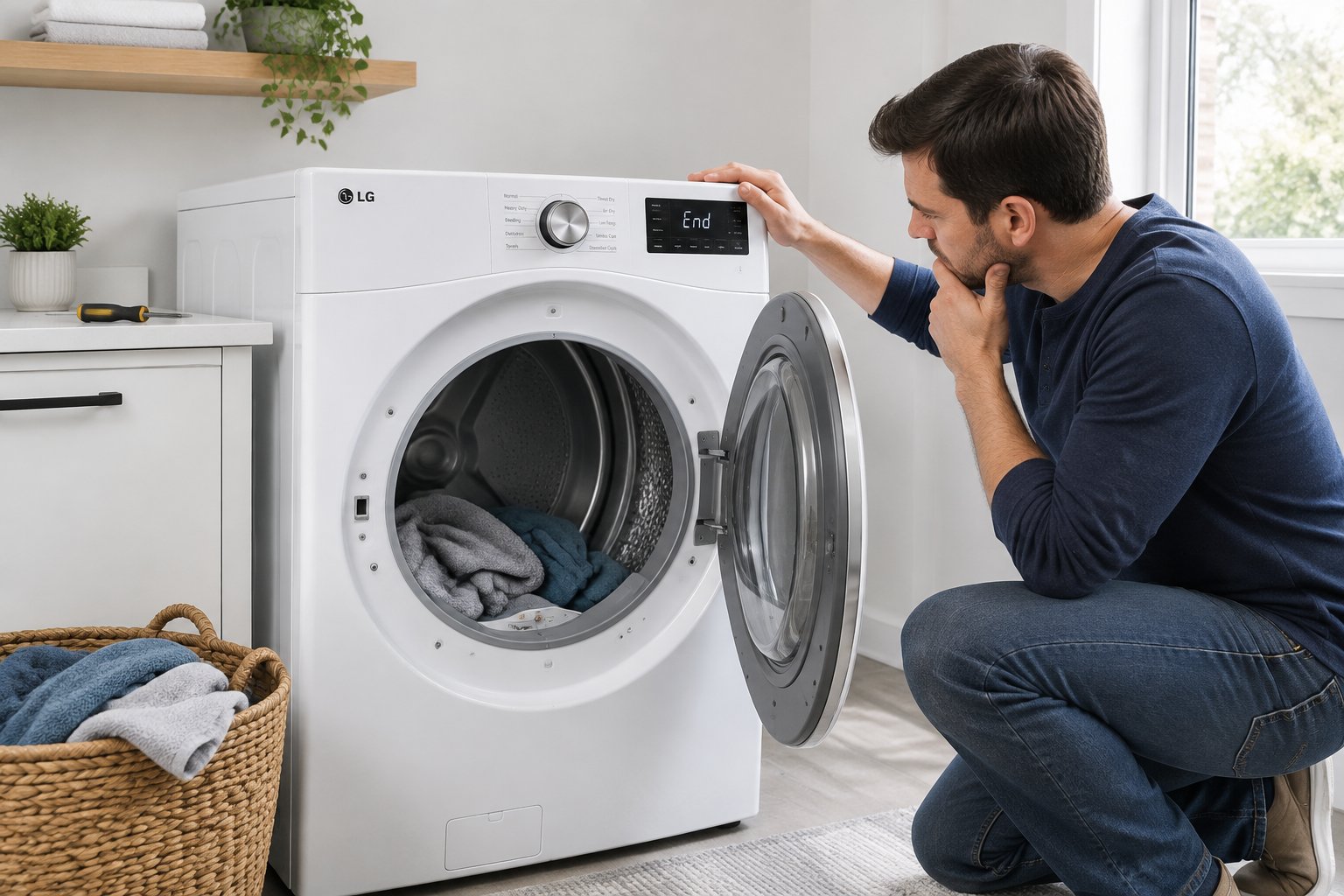
You open the dryer door after a full cycle and the towels are still damp and cool. The drum turned, the display counted down, and nothing got dry. Your first thought is probably about the cost of a repair call, or worse, a new machine. An LG dryer not heating almost always comes down to one of a handful of causes, and several of them you can check yourself in about fifteen minutes.
Most no-heat complaints start with restricted airflow, not a broken part. LG’s own troubleshooting guidance says long dry times and poor heating are usually caused by a blockage in the ductwork or lint buildup on the filter. When air cannot move, the dryer either shuts down its heat source for safety or runs cool. Ignoring it wastes energy, shortens the life of the machine, and raises the risk of a lint fire.
Keep reading to learn the safe checks to run first, what LG error codes like d80 and tE1 are telling you, how electric and gas models differ, and when to stop and call a technician. Garage laundry rooms are common in the Las Vegas Valley, and that placement changes a few things worth knowing.
Start With the Safe Checks That Solve Many No-Heat Problems
Four quick checks handle the majority of no-heat calls: the cycle setting, the lint filter, the exhaust path, and the breaker. None of them require tools or opening the cabinet. Start here before you spend money on a diagnosis.
Unplug an electric dryer or shut off the gas before you move it or reach behind it. If you smell gas at any point, stop, leave the house, and call your gas utility from outside.
Why Is My LG Dryer Not Heating but Still Running?
A drum that spins while the air stays cool means the motor is fine and the heat source is the problem. The motor and the heating circuit run on separate paths, so one can work perfectly while the other is dead.
That split is useful. It rules out belt, motor, and drum problems right away and points you toward airflow, the heating element or igniter, a fuse, or a thermostat. It also explains why a dryer with no heat still tumbles for the full cycle and then beeps like everything went fine.
Before you assume a part failed, make sure the machine was ever asked to produce heat in the first place.
Check the Cycle, Door Switch, and Sensor Dry Settings
Some LG cycles run with little or no heat on purpose. Energy Saver is on by default for the Cotton/Normal cycle on many models, and it air dries without heat for most of the run to save electricity or gas. LG's guidance notes you can turn Energy Saver off for a single cycle by pressing the button, or press and hold the Energy Saver Default On/Off button for three seconds to change the default.
Air Dry and Fluff cycles also tumble without heat. Run a test on a Timed Dry or Cotton cycle set to High heat before you conclude anything is broken.
Sensor Dry can end a cycle early too. The moisture sensor bars detect wetness by touching the clothes directly, so the load stops once anything hitting the sensor reaches the cutoff point. Small loads, single blankets, and mixed loads all fool it. LG recommends wiping each sensor bar with a damp cloth four or five times once a month and letting it dry fully.
One more easy miss: the door switch. If the door does not latch fully, the dryer may tumble briefly and never call for heat. Check that the door closes with a firm click and that no lint or a stray sock is blocking the strike.
If the cycle and door check out, airflow is the next suspect.
Clean the Lint Filter and Check for Lint Buildup
Pull the lint filter and clear it after every load, then look deeper. A filter that looks clean can still be coated with a film from dryer sheets, which blocks air you cannot see.
Wash the screen in warm soapy water with a soft brush every few months and let it dry completely. Then check the filter housing itself. Lint collects in the slot below the screen, and a vacuum crevice tool pulls it out.
Signs of real lint buildup inside the machine include:
- Clothes that come out hot but still damp
- A burning or scorched smell during the cycle
- The outside of the dryer running hotter than usual
- Dry times that have crept up over months
Lint that gets past the filter settles in the blower housing and the internal ducting. That is not a homeowner cleaning job on most models, but it is worth mentioning to a technician if the symptoms above match.
The filter is only the first few inches of the air path, though. The rest of it runs behind the machine and into the wall.
Inspect the Vent Hose, Exhaust Hose, and Outside Exhaust Duct
Pull the dryer forward and look at the exhaust hose. LG's service guidance says to confirm the hose is not crushed, dented, kinked, or compressed, and that it runs straight or in a gentle S curve. Check for holes and loose connections at both ends.
Flexible foil or plastic hose collapses easily and traps lint in every ridge. LG advises using rigid or semi rigid duct instead. Keep the run as short as you can and hold the number of 90 degree bends down, since each turn cuts airflow.
Now go outside. Start an Air Dry cycle, find the exterior exhaust hood, and watch the flappers. They should swing fully open with the dryer running. If they stick, stay half shut, or are packed with lint, replace the cover and clear the debris around the opening.
Many Las Vegas homes vent the dryer through a garage wall or up through the attic. Long attic runs with several elbows collect lint faster and are the most common hiding spot for a blockage you cannot see. If the duct disappears into a wall or ceiling and the symptoms persist, a professional vent cleaning is the right call. LG recommends having the home ventilation system cleaned by a specialist once a year.
With airflow ruled out, turn to the power feeding the machine.
Reset the Dryer Breaker and Confirm the Power Supply
An electric LG dryer runs on a 240 volt circuit protected by a double pole breaker. If half that breaker trips, the drum and lights still work on 120 volts while the heating element gets nothing. That single fact explains a large share of no-heat calls.
Go to the panel and find the dryer breaker. Switch it fully off, wait a few seconds, then switch it firmly back on. A breaker that looks like it is still on can be tripped internally, so always cycle it all the way off first.
Also check the cord and outlet. A loose terminal screw or a burned contact at the receptacle can drop one leg of the 240 volt supply. Scorch marks, a melted smell, or a warm outlet face mean you stop and call a licensed electrician rather than reseating the plug.
A breaker that trips again right after you reset it is telling you something is shorted inside. Do not keep resetting it.
If power is solid and airflow is clear, the dryer's own diagnostics will narrow things down faster than guessing.
Use LG Diagnostics Before Opening the Dryer
Your LG dryer can tell you where the problem is before anyone removes a panel. The control board tracks internal temperature and airflow, and it reports trouble as error codes on the display.
Running LG's built-in test takes about two minutes and costs nothing. It also gives a technician a head start if you end up needing one.
Find the Model Number and Use the Correct Owner's Manual
Everything below depends on your exact LG dryer model number, because button combinations and available features differ between series. Look for the model sticker on the door frame, inside the door opening, or on the back panel.
LG dryer models follow a pattern that tells you a lot at a glance. Numbers starting with DLE are electric, and DLG are gas. The letter X in the middle, as in DLEX, indicates a steam model.
The button combination that starts LG's Installation Test varies by model group. LG's Installation Test chart pairs Temp plus Signal on DLE3500 and DLG3501 series machines, Temp plus Wrinkle Care on DLE7100 and DLG7101 series, and Temp plus Energy Saver on DLE3600 and DLG3601 series. Match your model number to the right pair before you try it.
To run the test, remove all clothes and lint, make sure the dryer is cool and powered off, press and release POWER, then immediately press and hold the two designated buttons before the startup chime ends. The display shows the test has begun, and it may take several tries to get the timing right.
Press START/PAUSE and watch the numbers. Those numbers are temperatures inside the drum. LG's chart reads them this way: if they stay flat or bounce up and down, or rise by fewer than 10 degrees, the heating system needs service. A rise of more than 10 points to a different issue.
Once the test finishes, the display either goes blank or flashes an error code.
What d80, d90, and d95 Flow Sense Warnings Mean
d80, d90, and d95 are LG Flow Sense readings, and they mean the exhaust path is restricted. The number is the percentage of blockage the dryer detects between itself and the outside vent exit. d95 is the most severe.
These are not part failures. LG treats a Flow Sense code as a sign that the home's ductwork needs cleaning, and the fix follows the same path covered earlier: clean inside the dryer, straighten and inspect the exhaust hose, and clear the outside exhaust hood so the flappers open fully.
If the code returns after all of that, the blockage sits inside the walls or attic run. LG's advice at that point is to bring in a professional vent cleaning specialist and ask them to check lint accumulation, total duct length, the number of 90 degree turns, and whether any modifications are needed.
A restricted vent also drives up internal temperatures, which is where the next set of codes comes in.
What tE1 and tE2 Thermistor Errors Can Indicate
A thermistor is a small sensor that reports drum or heater temperature back to the control board. When the board sees a reading outside its expected range, it can post a thermistor error code and cut the heat as a safety response.
Because the board relies on that sensor to decide when to fire the heat, a bad reading produces exactly the symptom you started with: a dryer that tumbles and never warms up. The sensor itself may be faulty, or the wiring to it may be loose or damaged.
Thermistor testing means pulling a panel and checking resistance with a meter, which puts it past the point of a safe homeowner check on a 240 volt appliance. Write the code down and give it to whoever services the machine. It saves diagnostic time.
Some LG models can transmit all of this automatically.
How To Use Smart Diagnosis and the LG ThinQ App When Supported
Smart Diagnosis lets a supported LG dryer send its stored fault data to LG, either through the ThinQ app or by holding the phone to the machine and transmitting a tone. Not every model includes it, so check your owner's manual for your model number first.
The app version pairs over Wi-Fi and reads the fault history directly. The audio version works on older units: you start the diagnosis mode from the control panel and hold your phone's microphone against the marked spot while the dryer plays a short data tone.
Either way, the output is a plain-language summary of what the machine thinks is wrong. That is useful for confirming a heating fault before you spend money, and it is worth trying before scheduling anything.
Plenty of no-heat failures never post a code at all.
When No Error Code Still Points to a Heating Problem
A blank display with cold air is a real result, not a dead end. LG's own flow for the Installation Test includes a "no error code displayed" path that still ends in a service request when the heating system is not producing temperature rise.
Use the Installation Test numbers as your evidence. Flat temperatures with no code mean the heat source is not energizing, and the cause sits in the heating circuit, a fuse, a thermostat, or the control board.
Write down what you observed: the temperature readings, whether the breaker held, and whether the vent was clear. That short list turns a vague "it won't heat" call into a targeted repair.
Which part failed depends heavily on whether your dryer burns gas or heats with an element.
Identify the Failed Part Based on Your Dryer Type
Electric and gas LG dryers fail in different places. An electric model heats with a coil and protects it with fuses and thermostats. A gas model lights a burner with an igniter and two valve solenoids.
Check the model sticker: DLE means electric, DLG means gas. Everything below assumes the dryer is unplugged or the gas is shut off before any panel comes off.
Electric LG Dryers: Heating Circuit, Terminal Block, and Heating Element
In an electric LG dryer not heating, the most common failed part is the heating element itself. It is a coil of resistance wire inside a housing behind or beneath the drum, and it burns through with age the same way a light bulb filament does.
A failed heating element often shows a visible break in the coil. The drum still turns because the motor runs on a separate circuit, which is why the machine looks healthy from the outside.
The heating circuit also passes through the terminal block where the power cord attaches at the back of the dryer. Loose screws or a corroded connection there can cut one of the two 240 volt legs. Burn marks on the block or the cord end are a clear sign, and they need attention before anything else gets replaced.
Two safety devices sit in that same circuit, and both are designed to fail before the element does.
How a Blown Thermal Fuse Stops Heat
The LG dryer thermal fuse is a one-time safety device that opens permanently when the dryer overheats. Once it blows, the heating circuit is dead and no amount of resetting brings it back. On many models the drum keeps tumbling, so the only symptom you see is cold air.
Here is the part that matters for a lasting fix: a blown thermal fuse is a symptom, not a root cause. It blows because the dryer overheated, and the usual reason for that is restricted airflow from a clogged vent.
Replacing the fuse without clearing the duct just sets up the next failure. If your dryer blew a thermal fuse, treat the vent inspection as part of the repair.
The fuse is a last resort. Two thermostats are supposed to act first.
What the High-Limit and Cycling Thermostats Do
The cycling thermostat is the everyday temperature control. It switches the heat on and off to hold the drum near the setting you selected. When it fails open, the heat never comes on. When it sticks closed, clothes come out too hot.
The high-limit thermostat is a safety backstop mounted on the heater housing. If temperatures climb past a set point, it cuts the heating circuit. Some are resettable and some are not.
A pattern worth recognizing: if the high-limit thermostat trips repeatedly, or the thermal fuse blows a second time, the machine is overheating for a reason. Chasing the tripped part instead of the airflow behind it leads to repeat service calls.
Gas dryers have their own version of this story.
Gas LG Dryers: Igniter and Gas Valve Solenoid Problems
On an LG gas dryer, the burner needs three things to work: a hot igniter, open gas valve solenoids, and a flame sensor that confirms ignition. A failure in any one of them produces cold air.
The classic gas failure sounds like this: you hear a click, see a glow through the burner port, and then nothing. That pattern points to the gas valve solenoids. The igniter heats up correctly, but the coils never open the valve to release gas, so the igniter cools and the cycle continues without heat.
A cracked or burned-out igniter is the other common cause. In that case there is no glow at all, and the flame sensor never sees a flame.
Gas dryers also share the thermal fuse and thermostats described above, and a blocked vent trips them just as fast. Anything involving the gas valve, the burner assembly, or a gas smell belongs to a licensed technician, not a weekend repair.
Some heating failures trace back to parts that have nothing to do with the burner or element.
When the Control Board, Blower Housing, or Motor Parts Need Service
The main control board decides when to energize the heat. If it fails, or a relay on it sticks open, the element and igniter never get the signal even though every other part tests fine.
Board failures are less common than fuses and elements, so a good technician rules out the cheaper parts first. A board swap without confirming the rest of the circuit is how people spend a lot of money and still have a cold dryer.
Mechanical parts can create heat problems indirectly:
- A blower wheel clogged with lint or cracked at the hub cuts airflow through the heater
- A worn blower housing lets air leak before it reaches the drum
- A slipping motor pulley or a failing idler pulley slows the drum and changes drying times
- Loose or disconnected internal ducting dumps hot air back into the cabinet
A squealing or rumbling noise along with poor heating usually points to the blower or a pulley. That combination is worth reporting when you schedule service.
At some point the smart move is to hand it off, and knowing where that line sits saves both money and risk.
Know When To Stop Troubleshooting and Schedule Dryer Repair
Stop when the fix requires removing a panel on an energized appliance, touching gas components, or working on a 240 volt circuit. Everything up to that line is fair game for a homeowner. Everything past it needs a licensed technician.
That is not caution for its own sake. Dryers combine high voltage, gas, and a heat source next to accumulated lint.
When a Multimeter Test Is Appropriate and When It Is Not
A multimeter is the right tool for checking continuity through a thermal fuse, thermostat, or heating element, but only with the dryer unplugged and the wiring harness disconnected from the part being tested. Testing a live 240 volt circuit is not a homeowner job.
If you are comfortable with a meter, know your model's part locations, and can safely remove and reinstall the back panel, continuity testing tells you quickly which part has failed. A good fuse or thermostat reads near zero ohms. An open one reads infinite.
If any of that description does not match your experience, skip it. A technician carries the meter, the wiring diagram, and the replacement parts on the same visit.
Certain symptoms mean you should not open the machine at all.
Warning Signs That Need Professional LG Dryer Repair
Some symptoms are not troubleshooting problems. They are safety problems, and they need a technician the same day.
Call for LG dryer repair right away if you notice:
- Any smell of gas near or behind the dryer
- Scorch marks, melted plastic, or a burning smell during operation
- A breaker that trips again immediately after you reset it
- A hot outlet face or a damaged power cord
- Visible damage to the heating element housing or burner assembly
- Smoke of any kind from the vent or the cabinet
Shut the dryer off and leave it off in all of those cases. With a gas smell, leave the house first and call the utility from outside.
Before you authorize a paid repair, check one thing.
Check the Manufacturer Warranty Before Paying for a Repair
If your LG dryer is relatively new, LG's own warranty may cover the part and the labor. Check the purchase date and registration status before you call anyone, because paying out of pocket for a covered repair is money you do not get back.
LG's support site offers a repair request through its 24/7 chat support, and registering the product speeds up the process. Have the model number and serial number ready when you start.
Warranty terms vary by model, by component, and by how the unit was purchased, so check LG's current warranty for your dryer instead of assuming.
Once the manufacturer warranty is expired, the math changes.
How To Compare LG Appliance Repair Options and Future Appliance Coverage
Out of warranty, you have three LG appliance repair options: LG's factory service, an independent local appliance technician, or a service dispatched under a home warranty plan. Each has a different cost structure.
A home warranty changes the arithmetic on the third option. You pay a service fee per claim instead of a full diagnostic plus parts and labor, and the plan handles finding and dispatching the technician. The plan assigns the claim to a licensed contractor, who then contacts you to schedule the visit.
Ask any of the three the same questions: what the diagnostic costs, whether it applies toward the repair, what parts warranty comes with the work, and how long the part will take to arrive.
For breakdowns that have not happened yet, coverage works differently than a one-time repair bill.
How a Home Warranty May Help With Future Eligible Dryer Breakdowns
A home warranty covering appliances pays for eligible breakdowns caused by normal wear and tear, subject to the plan's service call fee, coverage limits, and exclusions. It does not pay for a dryer that is already broken when you enroll.
Clothes dryer coverage is not part of every tier. In a three-tier structure of Essential, Enhanced, and Premium, the clothes washer, clothes dryer, and kitchen refrigerator are added at the Enhanced Plan level, which builds on everything in the Essential Plan. The Premium Plan includes everything in Enhanced plus manufacturer's warranty coverage and additional services.
The practical value shows up on the second or third repair. Instead of shopping for a technician and approving an estimate each time, you file one claim and pay the service fee. Plans also extend to home systems like plumbing and electrical, so the same account covers more than the laundry room.
Full plan details, coverage limits, and exclusions live in the service contract, and you can compare tiers on the home warranty plans page. Coverage applies only to breakdowns that occur after your plan is active.
Keeping the dryer healthy between claims is its own small project.
Protect Your Laundry Routine Before the Next Breakdown
Most LG dryer heating problems trace back to airflow, and airflow is the one thing you control. A yearly vent cleaning and a monthly sensor wipe can reduce airflow-related problems and help maintain performance.
Build a short routine. Clear the lint filter after every load, wash the screen with warm soapy water every few months, and vacuum the filter housing. Wipe the moisture sensor bars once a month. Pull the dryer out twice a year and check that the exhaust hose is still straight and tight at both ends.
For Las Vegas homes with the laundry in the garage or a duct that runs through the attic, add one more habit: watch your dry times. A cycle that used to take 45 minutes and now takes 80 is the earliest warning of a restricting duct, usually long before a d80 or d90 code appears.
When dryer no heat on an LG brand machine does turn out to be a failed part, you want the repair path settled in advance. Knowing whether your dryer is covered, who to call, and what the service fee will be turns a cold laundry load into a scheduling task instead of a budget emergency.
Cold Air Today, a Plan for Tomorrow
An LG dryer that tumbles without heat is usually fixable. Check the cycle setting and door, clean the lint filter, inspect the exhaust hose and outside hood, and reset the 240 volt breaker. Then run LG's Installation Test and write down any code. Those steps either solve it or hand a technician a clear starting point.
If the answer turns out to be a blown thermal fuse, a failed heating element, or a gas valve solenoid, that is a job for a licensed pro. Clear the vent as part of the repair so the same part does not fail again next year.
For the breakdowns still ahead, coverage is the difference between an estimate you did not expect and a service fee you already knew about. Dwellness has served Las Vegas homeowners since 1986, approves more than 97% of claims, and gives every customer a local account manager instead of a call queue. Compare appliance coverage and home warranty services, see how plans work for Las Vegas homeowners and across Nevada, or call (702) 509-7007 for a free quote. Existing customers can file a claim at (702) 641-8888 or reach the team through the contact page.